Project overview
A personal reading space that remembers where you stopped.
Akshar brings a personal bookshelf, PDF reading, and saved progress into one place. Readers can explore free classics or upload their own books, then return to the page they last read.
The problem: returning takes effort
Digital books can end up scattered across folders, browser tabs, and devices. Getting back to a book means finding the file and remembering where you stopped. I wanted to make that return feel as simple as picking up a book from a shelf.
How might a digital library make starting—and returning to—a book feel effortless?
The design goals
- Offer something to read before asking for an upload.
- Make adding a personal PDF straightforward.
- Remember the reader’s page and position automatically.
- Offer a private account library alongside a device-only option.
From a file list to a personal library
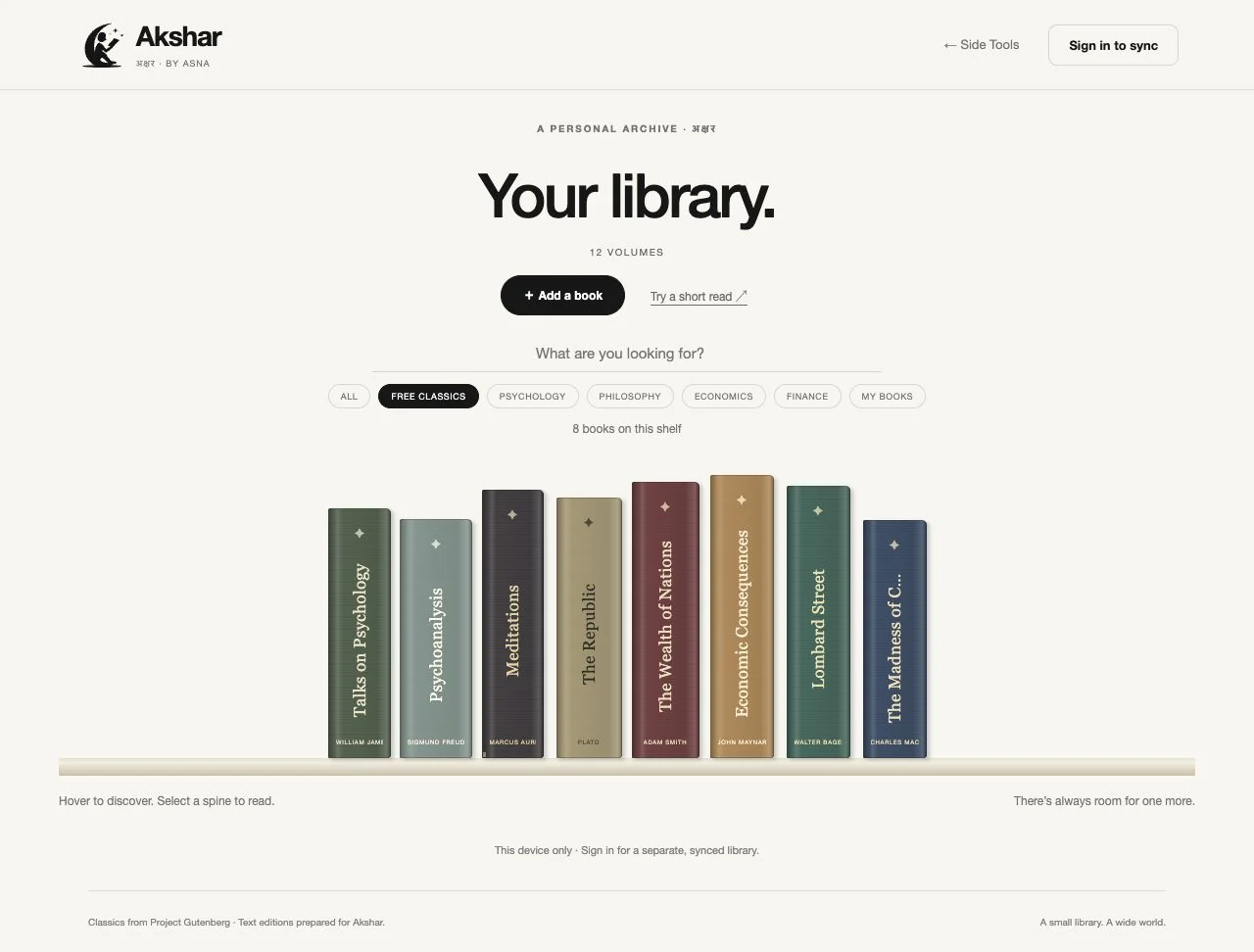
The first version used document cards. They worked as file management, but did little to evoke a collection of books. I redesigned the library as a rack of upright spines, with subtle texture, varied heights, and muted colors.
New PDFs join the same rack. Search and topic filters help readers narrow a growing collection without leaving the shelf.
A useful first visit
An empty library makes people do work before experiencing the product. I added eight free text editions from Project Gutenberg across psychology, philosophy, economics, and finance. Each title links to its original source and retains its credits and license.
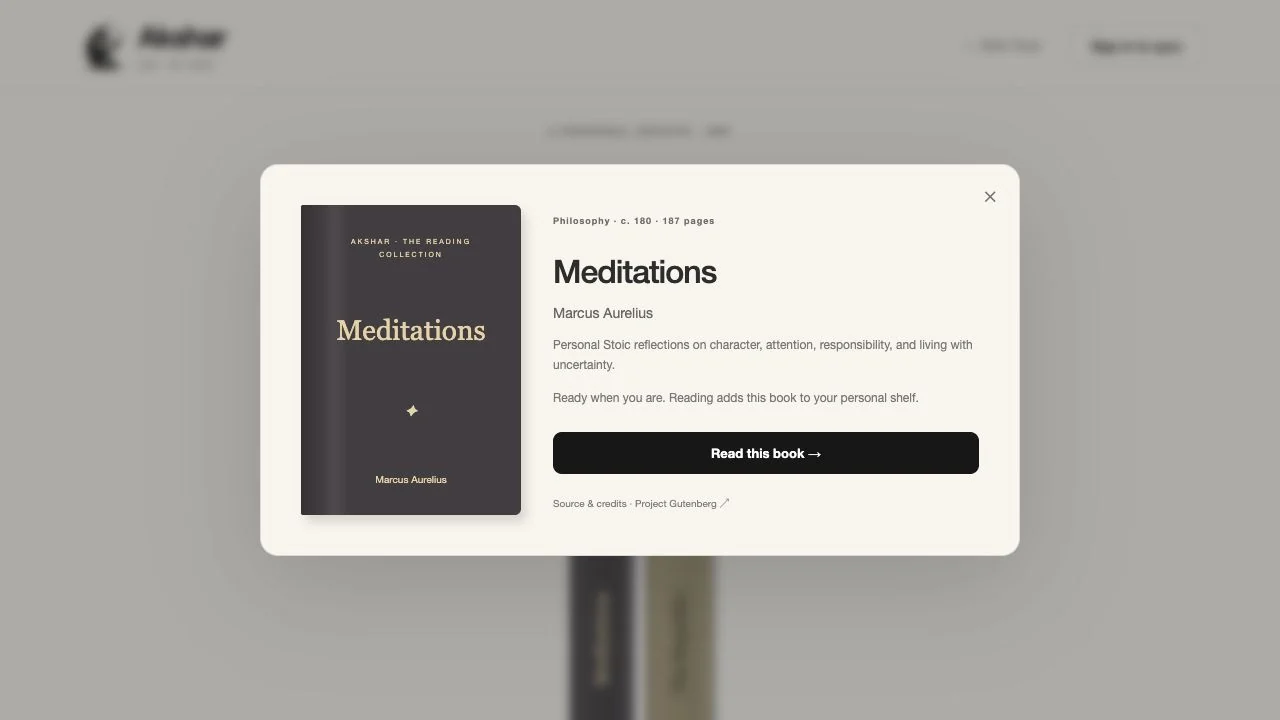
Selecting a spine opens the title, author, description, and reading action. A book enters the reader’s chosen personal library when they start reading.
Designing around “read, leave, return”
Akshar saves both the current page and the position within it. Readers can keep books on their current device or sign in for a private library with account-based progress storage.
The device-only option offers a quick start. An account supports an ongoing library, with each reader’s uploaded files and records restricted to their own account.
Letting the controls recede
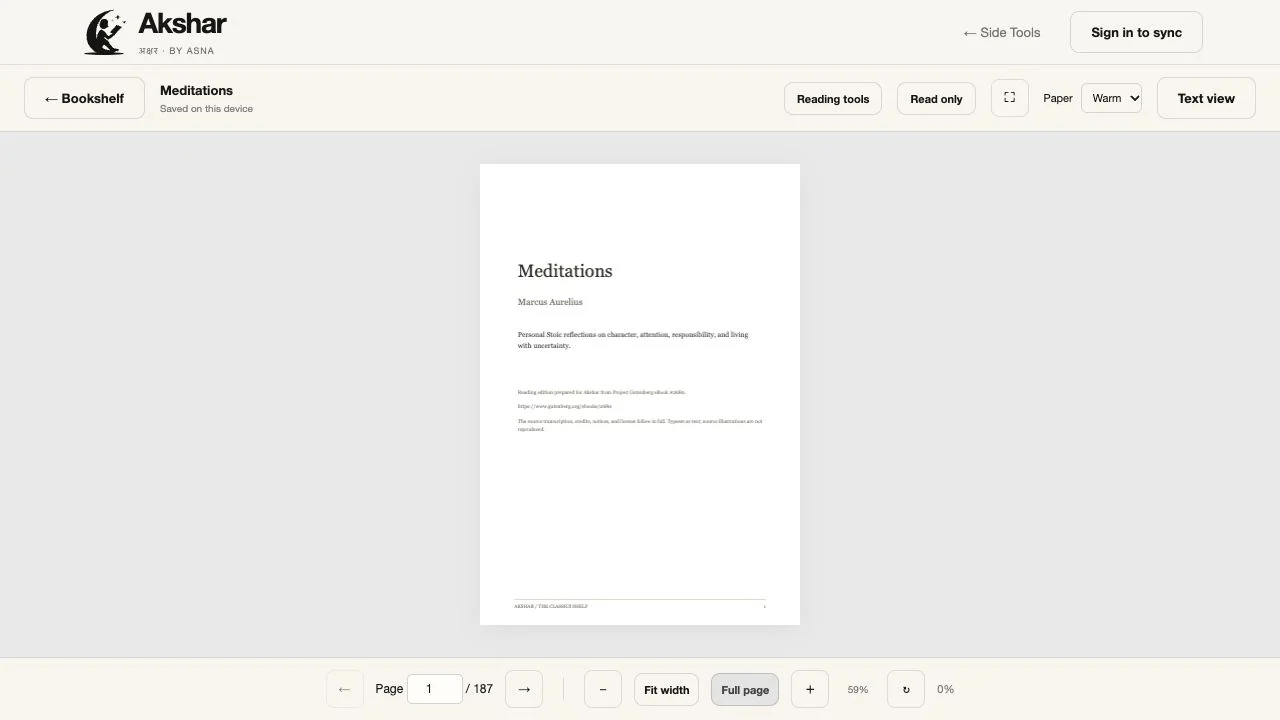
Page navigation, zoom, rotation, text search, available document contents, and named markers support different reading habits. Warm, light, and dark paper themes offer a choice of reading surface.
For uninterrupted reading, Read only hides the toolbars and displays extracted text. Readers can bring the controls back when needed. Scanned pages retain a page-image fallback when selectable text is unavailable.

A quieter visual identity
A moon-and-reader symbol gives Akshar a recognizable identity. Black, ivory, and Helvetica keep the interface direct, while the colored book spines bring character to the collection. The reading surface keeps a serif face for longer passages.
Making the experience reliable
PDF.js renders documents in the browser. Supabase provides email-link authentication, private file storage, and saved reading records. Starter PDFs load when selected, and stable book identifiers prevent duplicate spines after a reader starts a title.
What the prototype demonstrates
The device-based journey works from selecting a book to reading, leaving, and returning to saved progress. The prototype also includes account infrastructure for private libraries and progress syncing; full cross-device account validation remains a next step.
This is a working, self-initiated prototype. Structured usability testing has not yet been conducted, so I am not claiming measured improvements in reading habits or retention.
What I learned
A bookshelf can make a utility feel personal
The rack gave the library a clearer identity while preserving its practical purpose: finding and opening a book.
A useful first visit matters
The starter collection lets someone experience reading before committing to an upload or account.
Reading and managing a reading session need different spaces
Read only grew from the need to keep useful controls available while allowing them to disappear during focused reading.
What comes next
I would test title discovery, PDF upload, and returning to a saved session, then use those observations to refine mobile shelf navigation and account onboarding. EPUB support would allow more flexible text sizing and reflow on smaller screens.